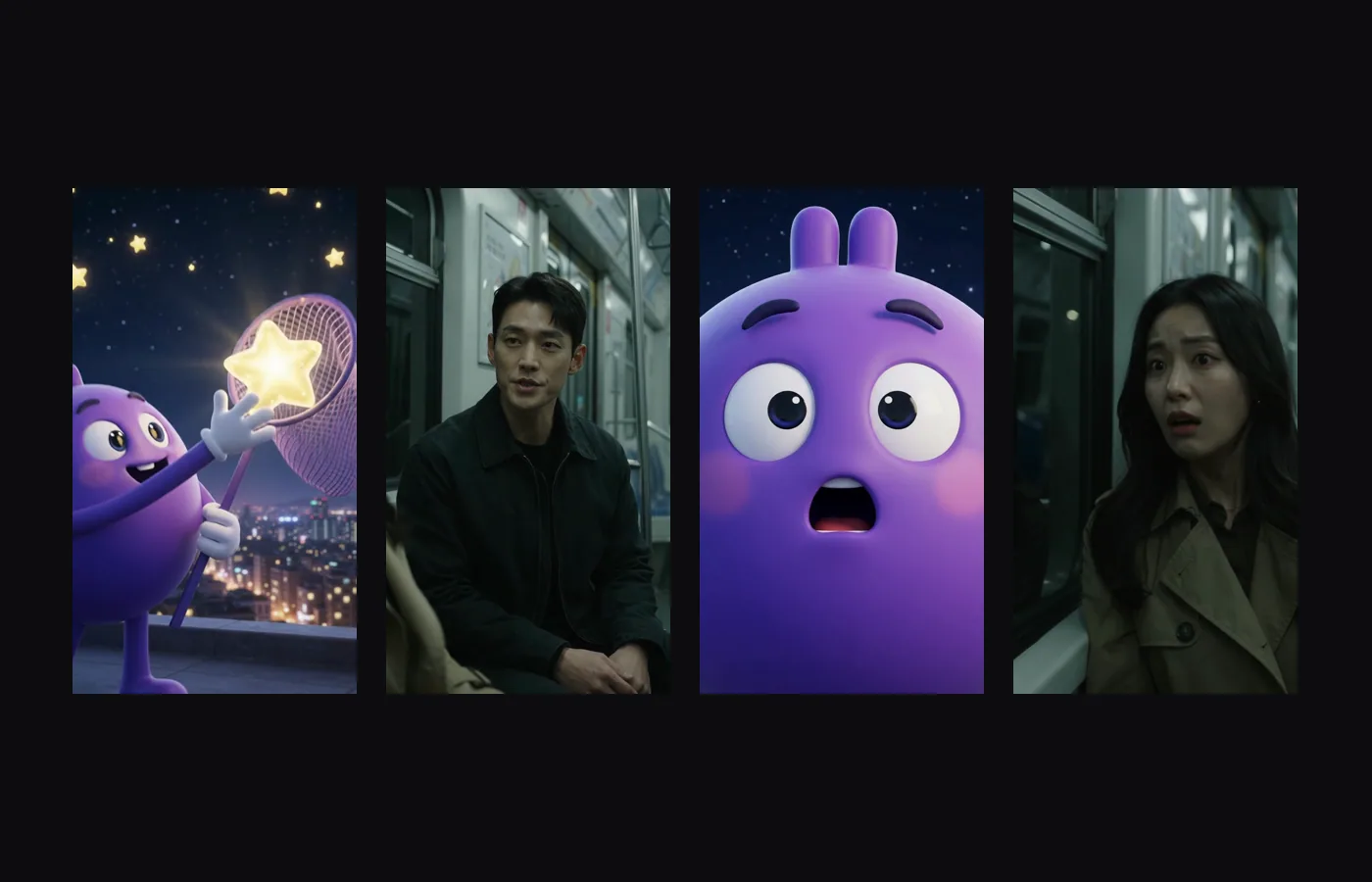
What Is Shortime Studio? From Story to Video in One Place
· By 코드크레용 팀
Shortime Studio is an AI content production workspace for making short dramas and short anime, from script to finished video, inside one project. The place where you write, the place where you design characters, and the place where you make video are connected.
Without it, you usually juggle several tools. You write the script in a document, create character art in an image tool, and generate video somewhere else. Every time you switch tools, your character’s face drifts, and every script change means lining everything up again. Shortime Studio brings all of that into one place. This post walks through the screens in the order a project comes together.
Pick a format and start from what you have
When you start a new project, you first choose a format and a style. The format is a choice such as Short drama or Short anime, and the style sets the look for the whole project.
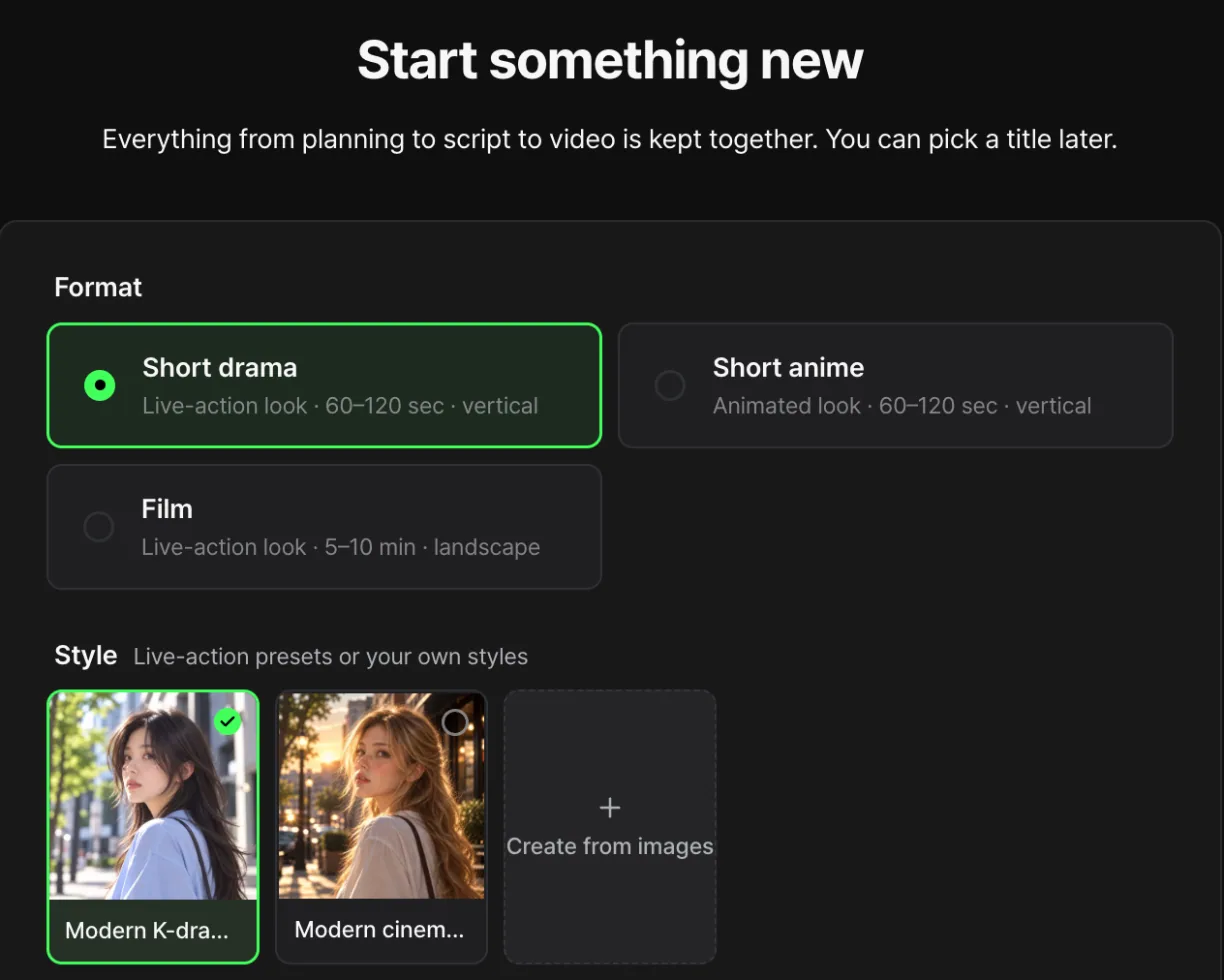
From there, you have three ways in, depending on what you already have.
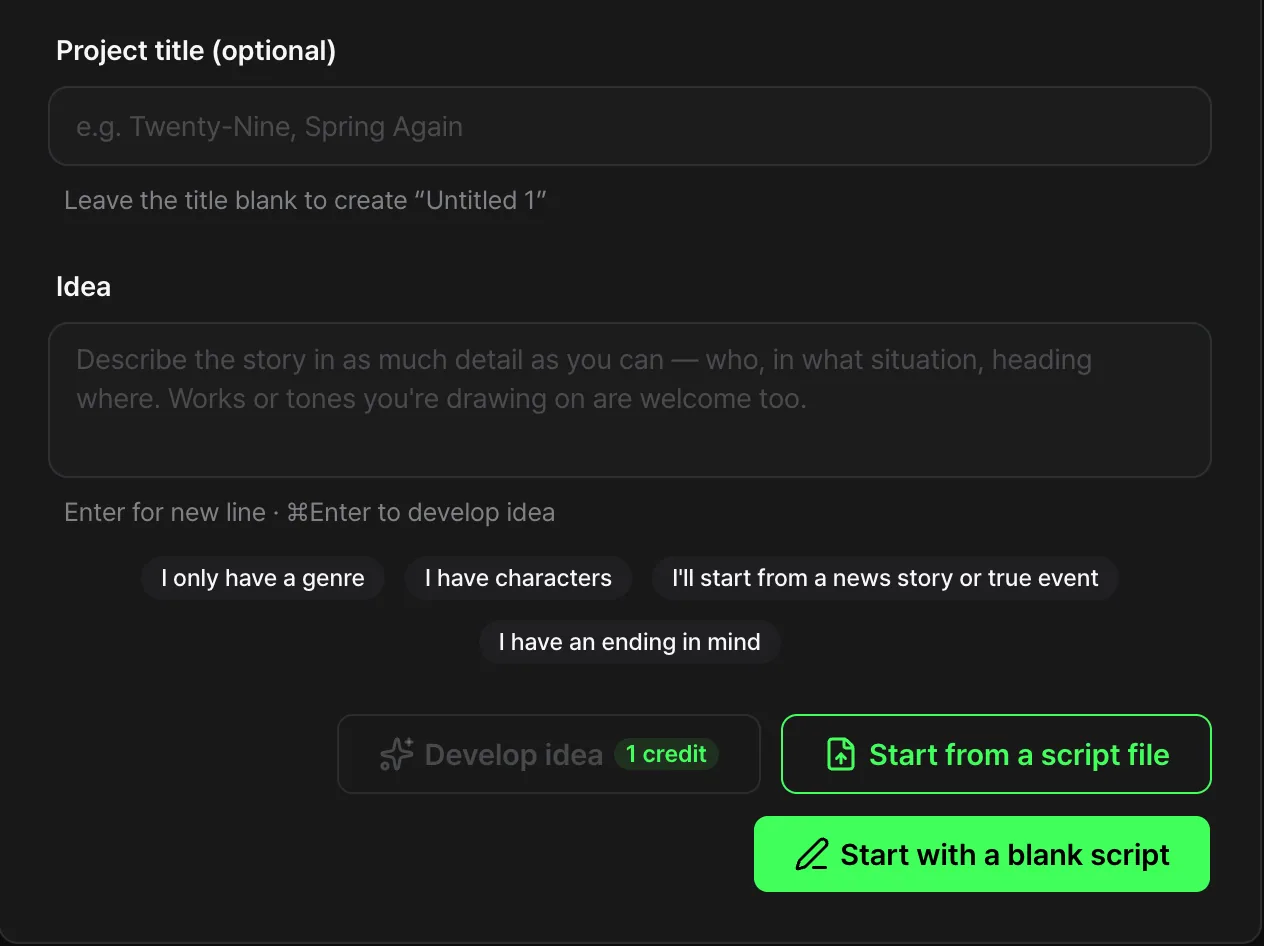
- If you only have an idea, describe it and click Develop idea. The AI co-writer helps you shape the outline.
- If you have a finished script, click Start from a script file. Shortime Studio reads the file and sorts it into episodes, characters, and locations.
- If you want to write it yourself, click Start with a blank script.
Your script is organized scene by scene
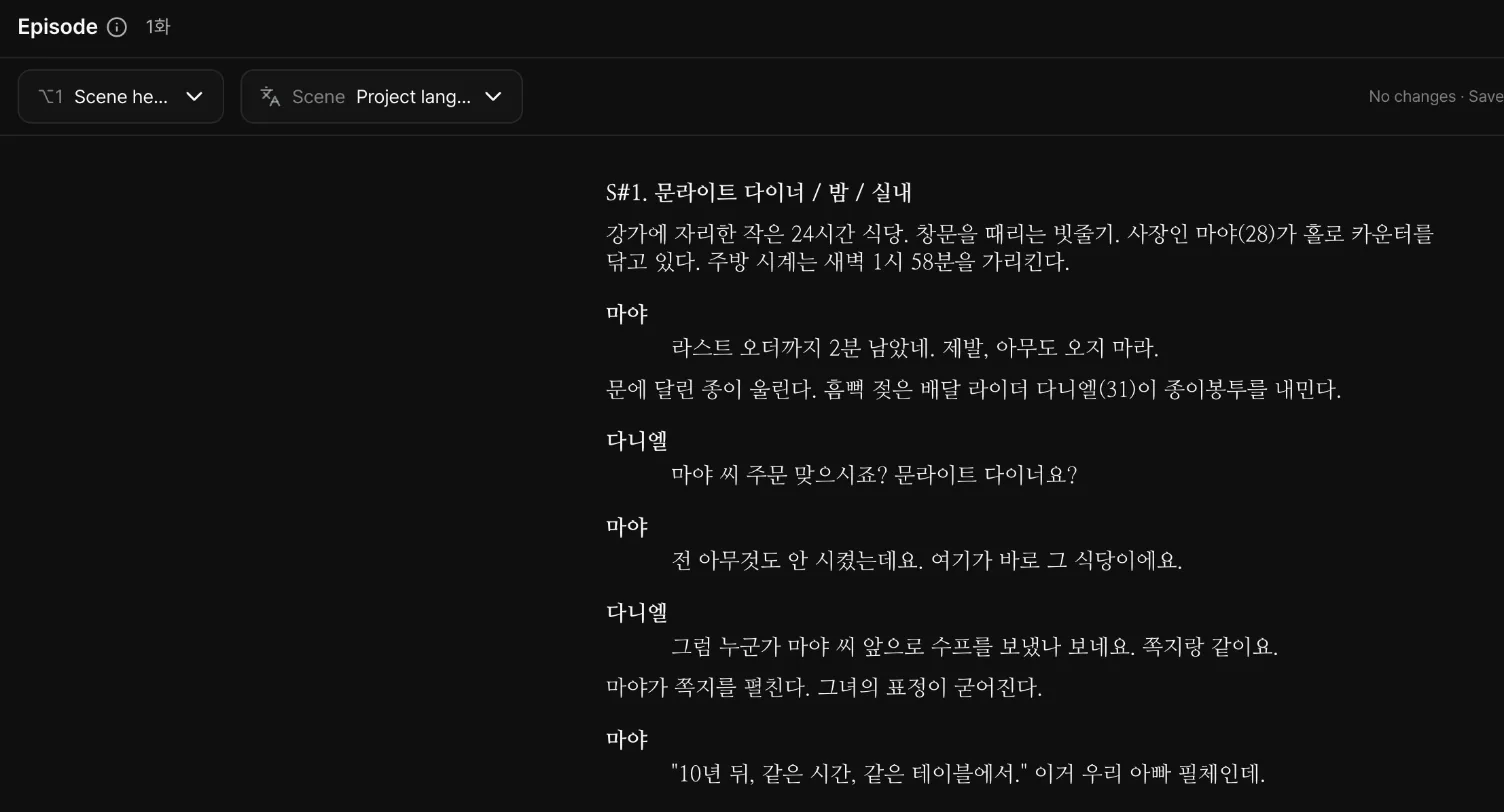
Open an episode and you get the script editor. Scene headings, action lines, character names, and dialogue are laid out in screenplay format, so the script is easy to read and easy to edit. The scenes you write here become the raw material for video later. The demo project in this post is written in Korean.
Adapt the whole project at once
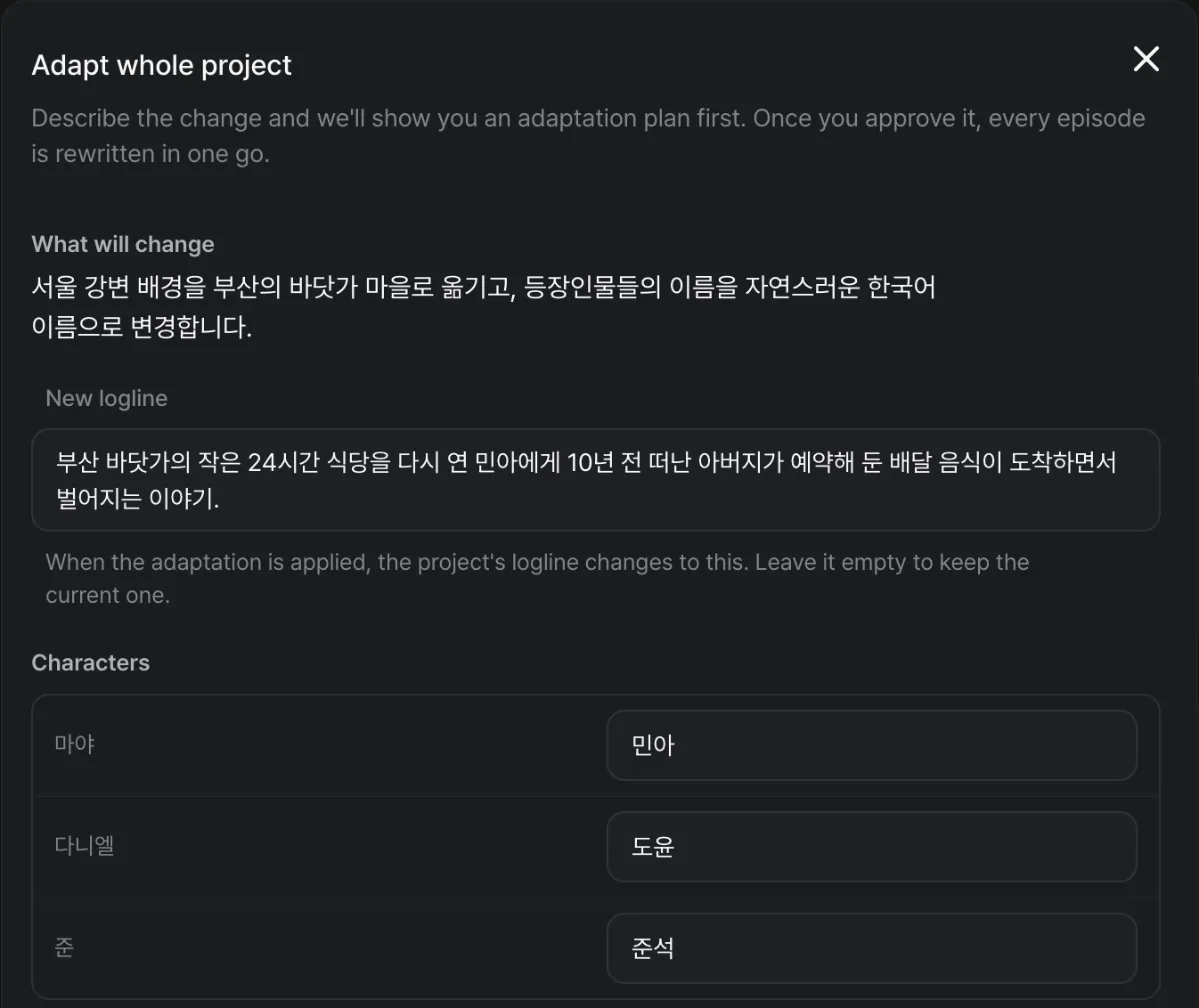
Want to move the story to another city or rename the characters? You don’t have to edit each episode. Open the ⋯ menu on the project home, choose Adapt whole project, and describe the change in a sentence or two.
Click Create plan and you see what will change before anything is rewritten. The new logline, character names, and locations appear in a list, and you can fix any name you don’t like right there. Once the plan looks right, click Start adapting and every episode is rewritten in one go.
Set a character once and keep the same face
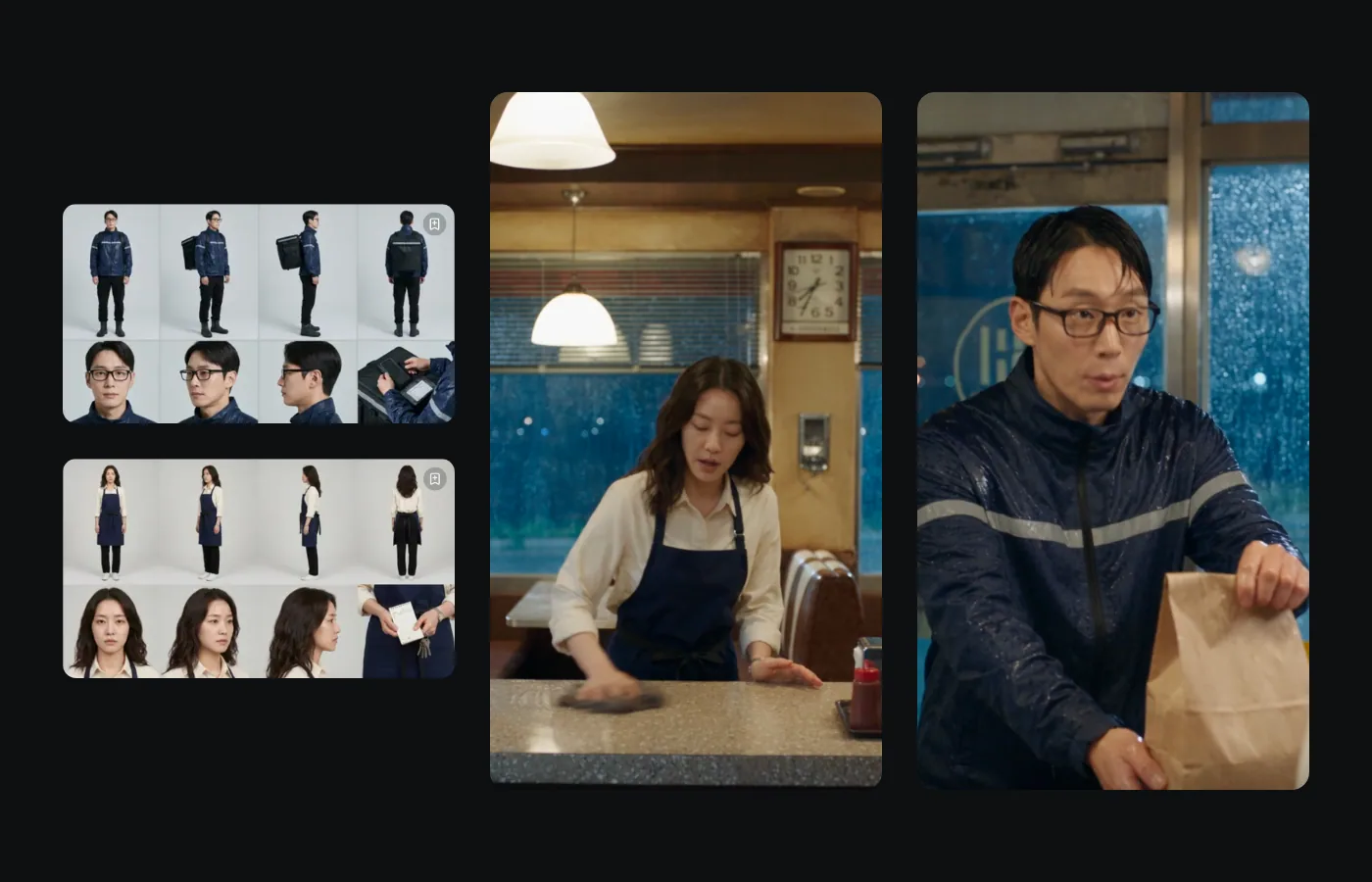
Keeping characters consistent is the hardest part of AI video. In Shortime Studio you set a reference image for each character first. You generate a character sheet with front, side, and back views plus close-ups of the face, then confirm the candidate you like as the master.
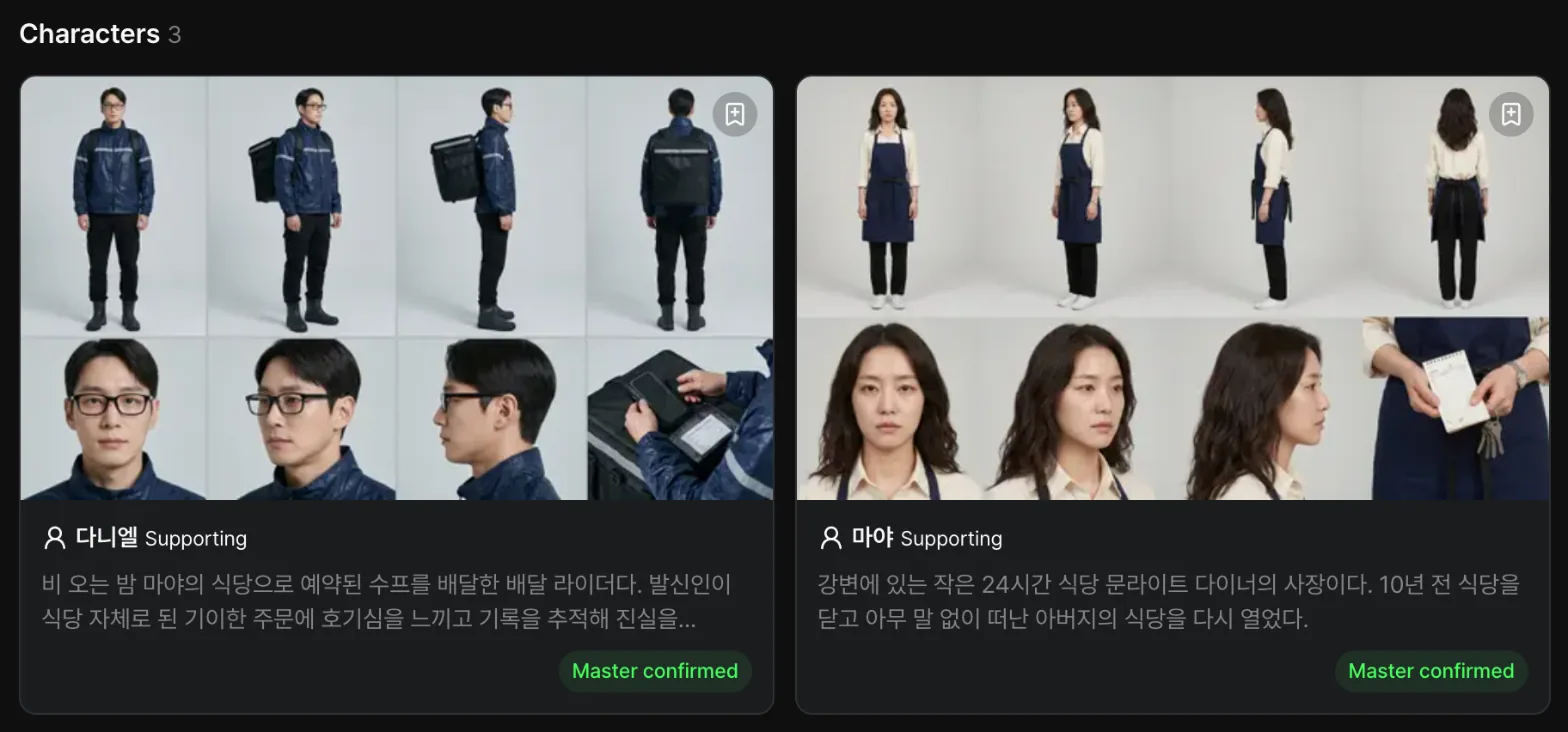
From then on, every image and video you make uses that confirmed character as its reference. You can set locations and props the same way.
Pull a scene from the script and turn it into video
In Production, click Add assets to pick your characters along with a scene from the script. The scene’s action and dialogue come in as a video prompt, and each character name is linked to the asset you just confirmed. You don’t have to write the prompt from scratch.
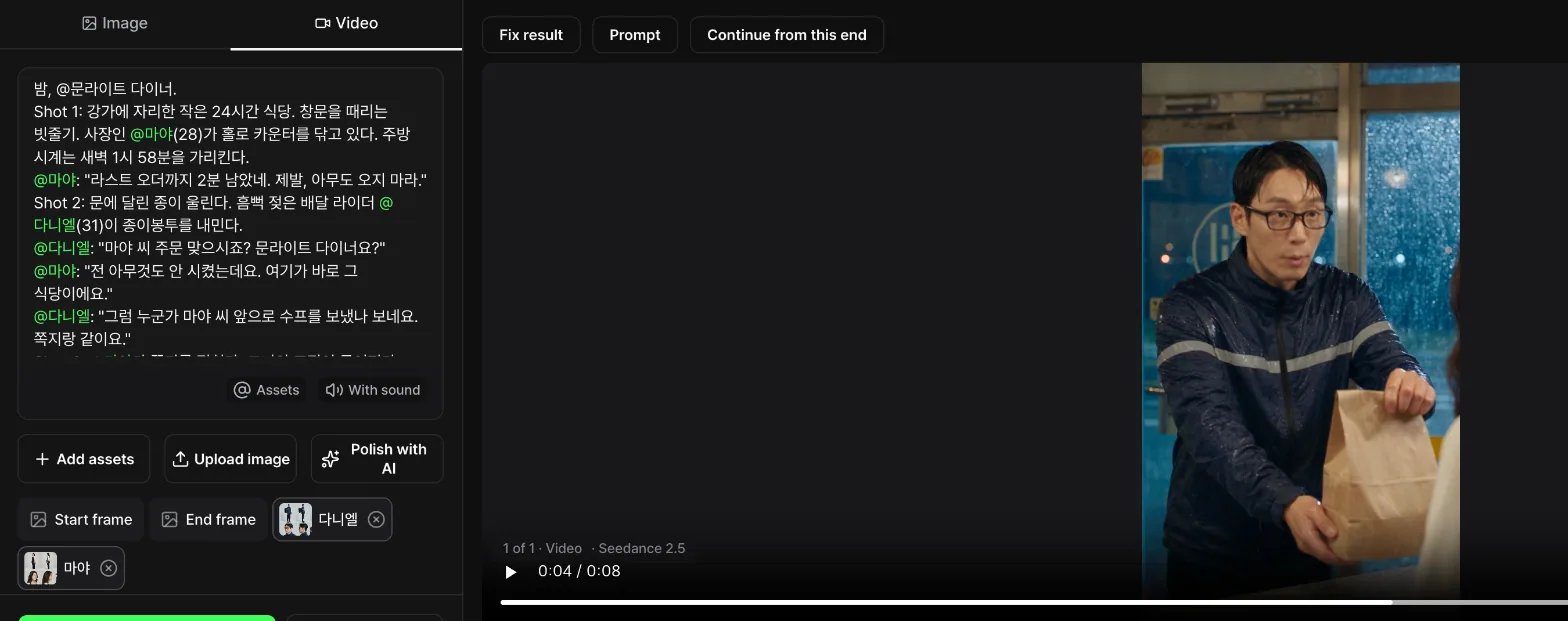
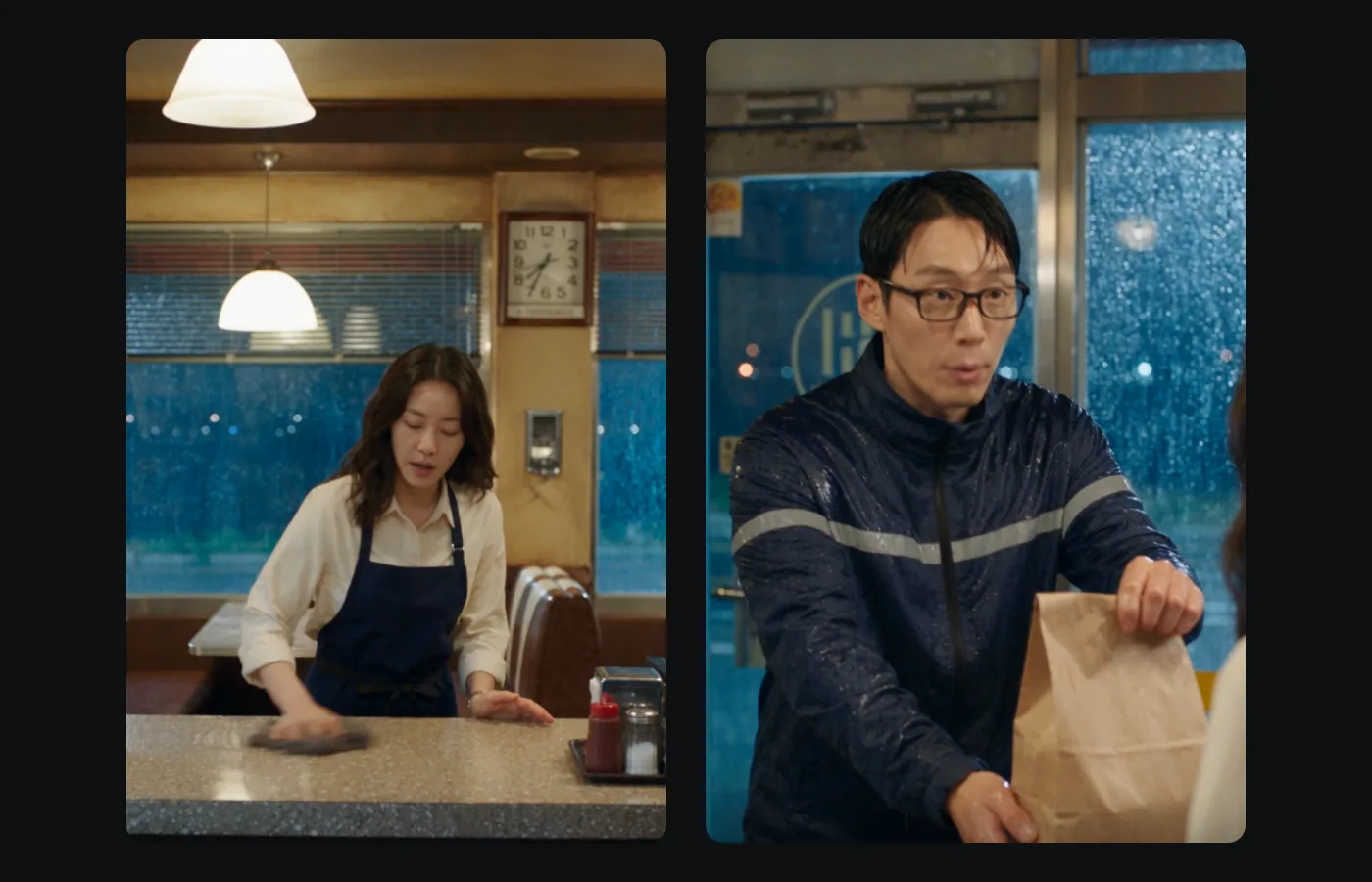
Click Generate and the video is made. Below are two moments from the video created from the first scene of the script above. The face and outfit from the character sheets carry straight through.
You can then stitch and trim your clips in the editing room.
Learn from other people’s work in the Gallery
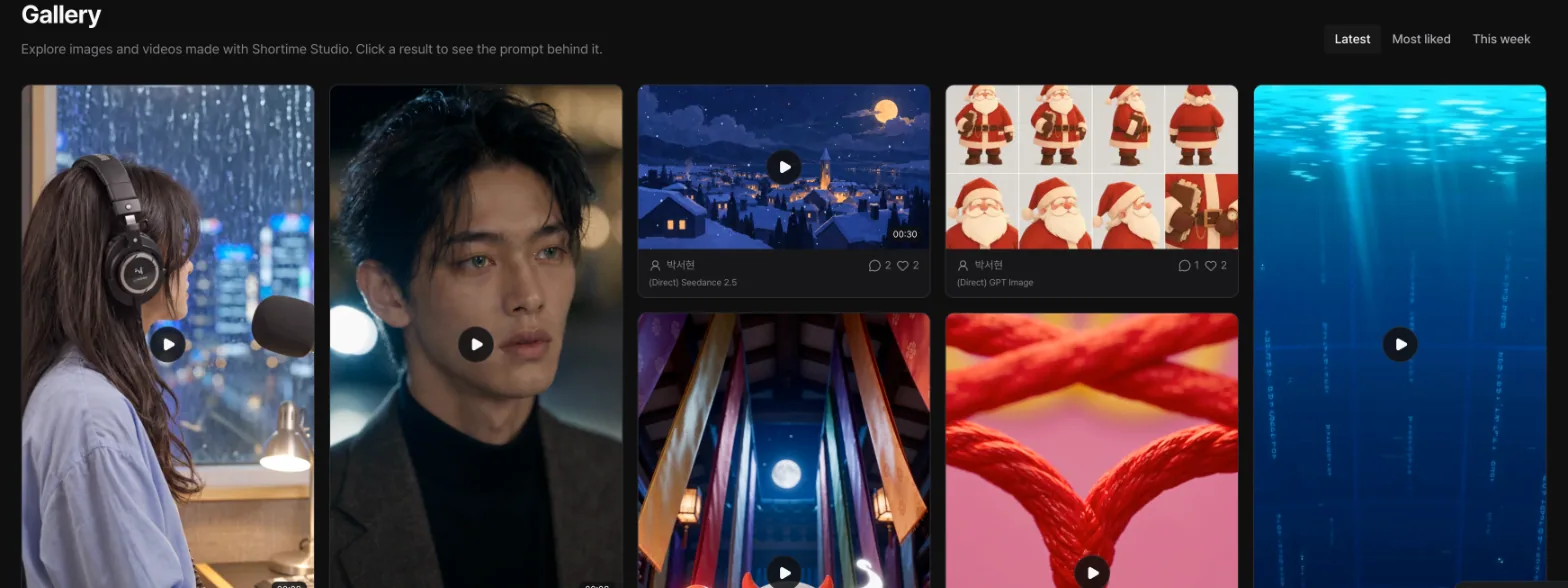
The Gallery collects images and videos made with Shortime Studio. Click a result to see the prompt behind it, which makes it a good place to learn how a shot you like was made. You can post your own videos there too.
Make it with your team
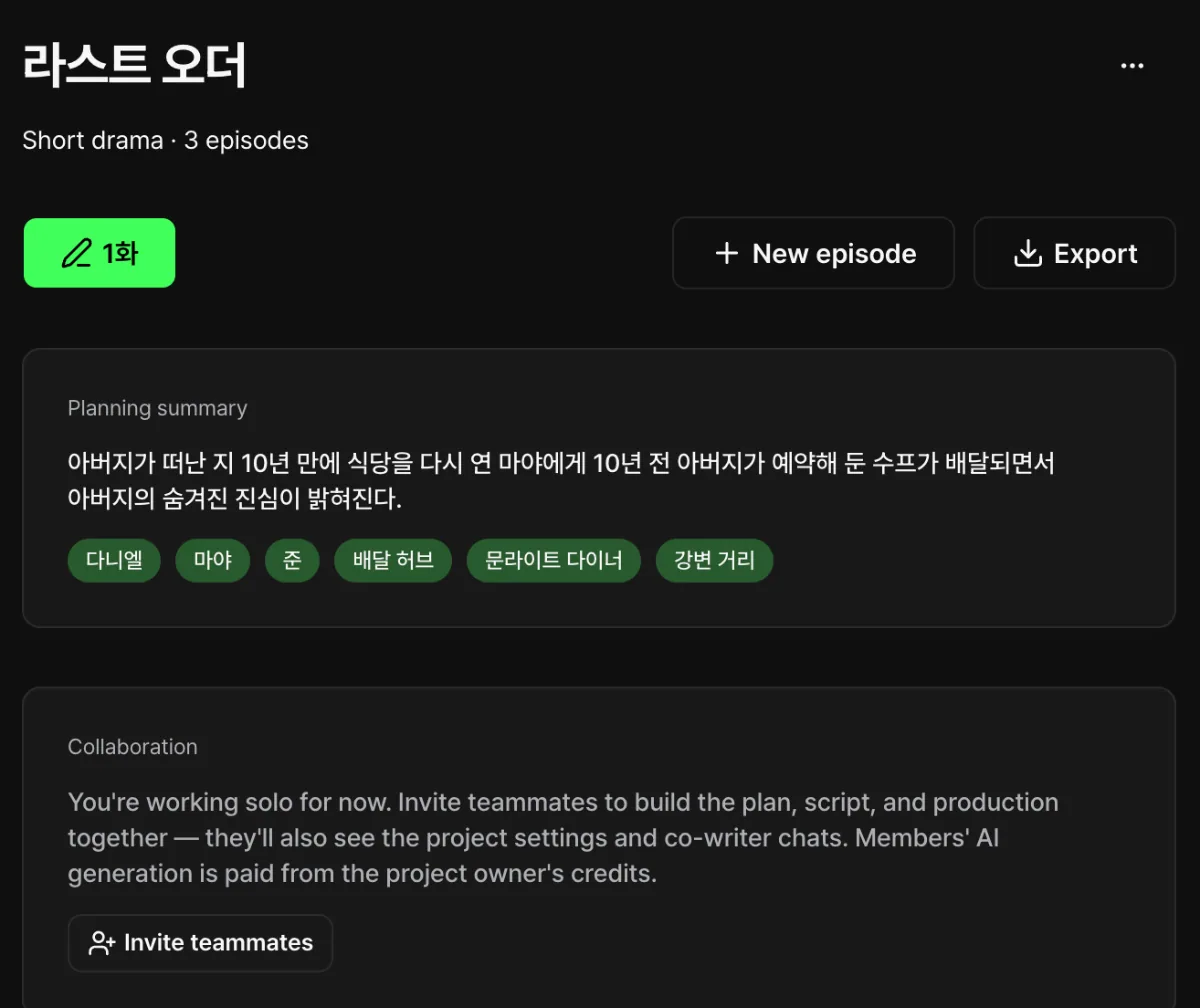
Click Invite teammates on the project home to build the plan, script, and production together. Teammates also see the project settings and co-writer chats, so writers, directors, and producers work from the same project.
In short
- Start from whatever you have: an idea, a script file, or a blank script.
- Write the script, and adapt the whole project at once when you need to.
- Confirm a reference image for each character to lock in the face and outfit.
- Pull a scene from the script and turn it into video.
- Learn from the Gallery and work with your team.
Start your first project in Shortime Studio today.
 Back to Blog