How to See Every Open AI Video Contest in One Place
· By 코드크레용 팀
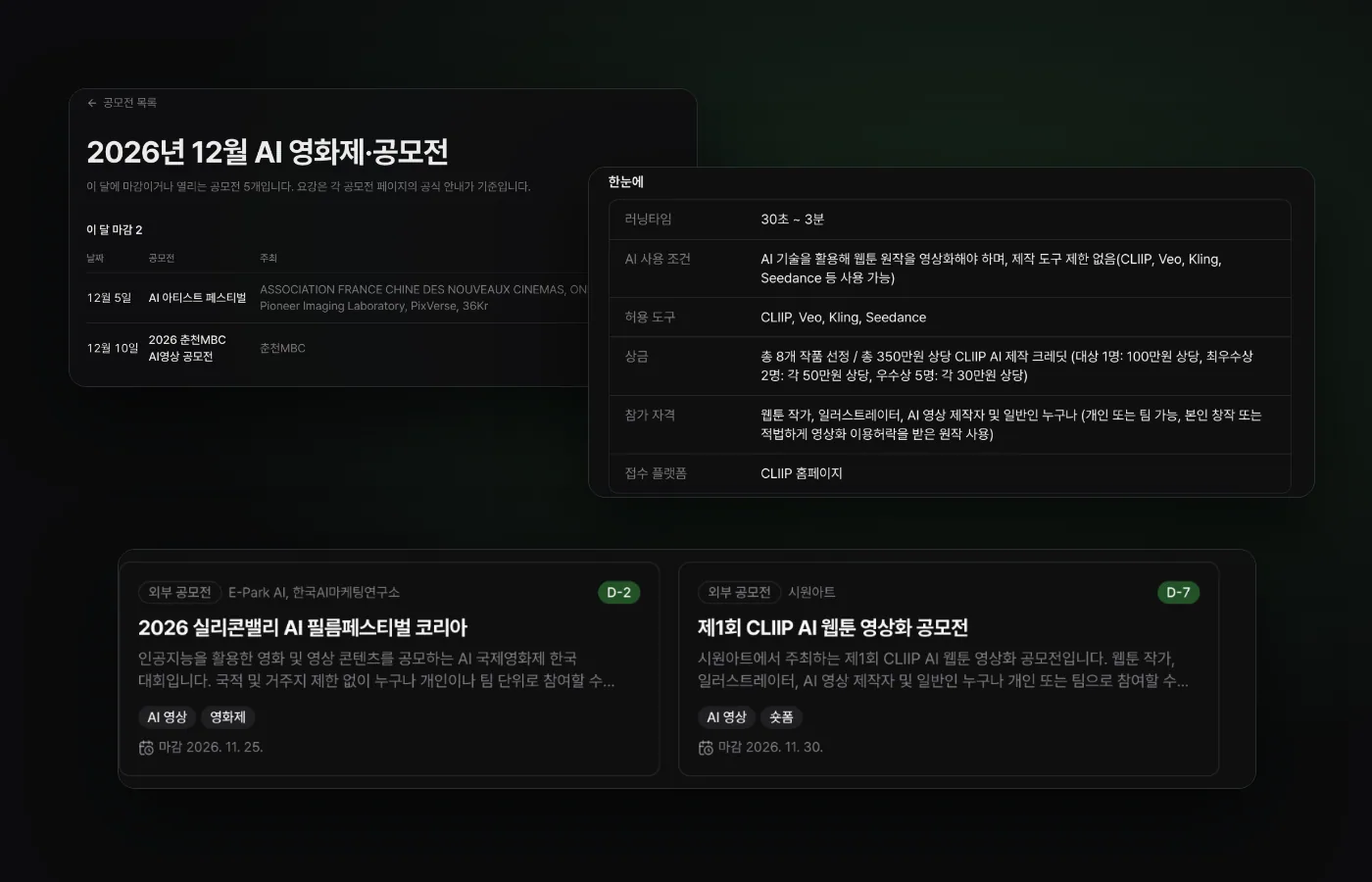
AI film festivals and video contests keep multiplying, but every organizer posts its call somewhere different. City websites, festival pages, submission platforms. Track them one by one and a deadline slips past before you notice.
The Contests page in Shortime Studio brings those calls together and sorts them by deadline. This post walks you through browsing the list, checking the rules, and starting a project that already fits the contest you picked.
Browse the contest list
Click Contests in the menu at the bottom of any page. AI video contests and film festivals from around the world are grouped into Open, Upcoming, and Past contests, with the nearest deadline first in each group.
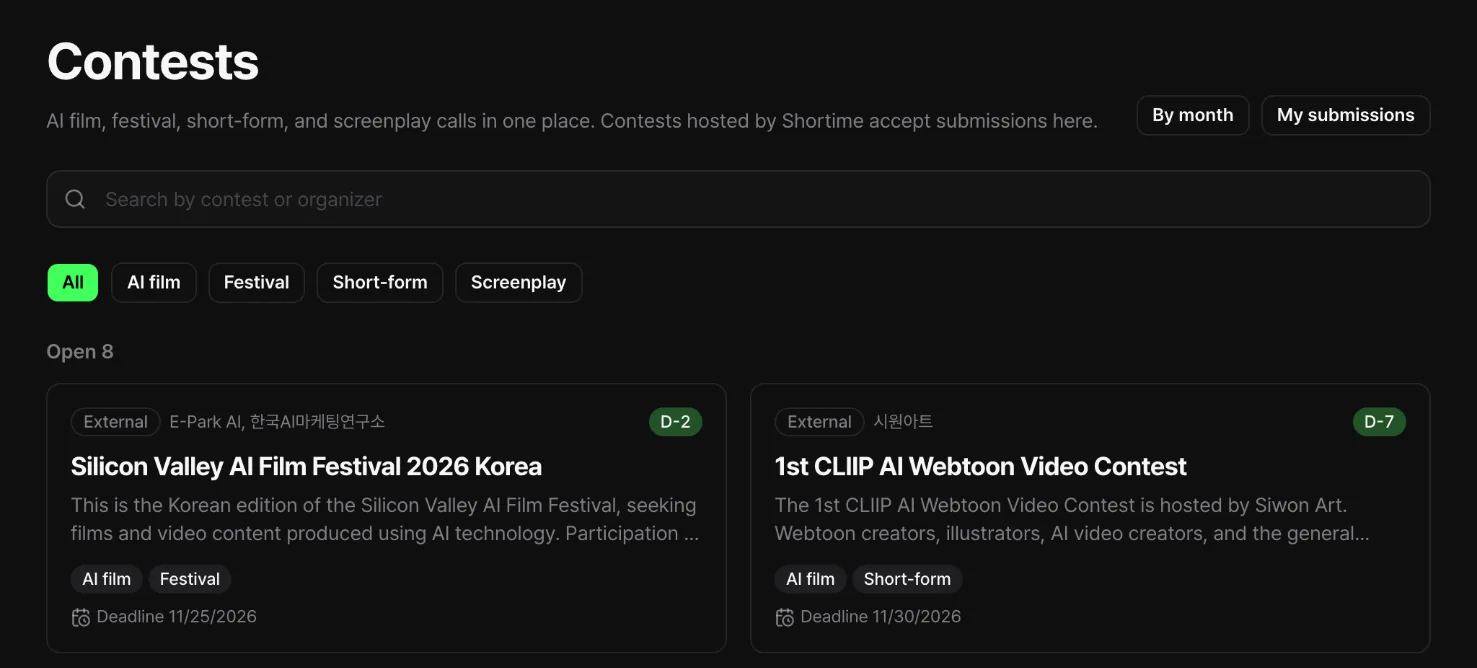
Each card gives you the essentials. The organizer and a countdown such as D-7 sit at the top. Categories and the deadline sit at the bottom. Calls run by other organizers carry an External label. Contests Shortime Studio runs itself carry a Hosted by Shortime label, and you can submit to those right on this page.
Looking for something specific? Type a contest or organizer name into the search box.
Filter by category
The tabs under the search box narrow the list to what you care about. There are four: AI film, Festival, Short-form, and Screenplay. A contest can belong to more than one, so a vertical short-form video contest shows up under both AI film and Short-form.
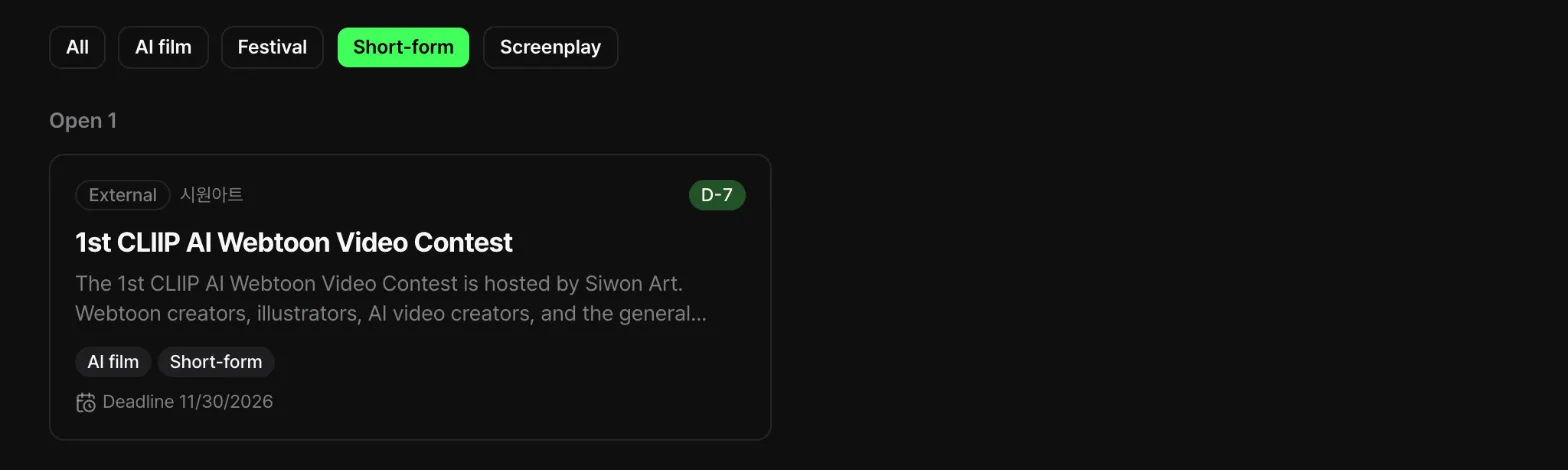
If you only make vertical video, pick Short-form. If you have a short film and want a screening, pick Festival.
Plan around deadlines with the monthly view
Click By month at the top right to see a whole month as a table. Calls closing that month and events taking place that month are listed separately, so you can scan it like a calendar.
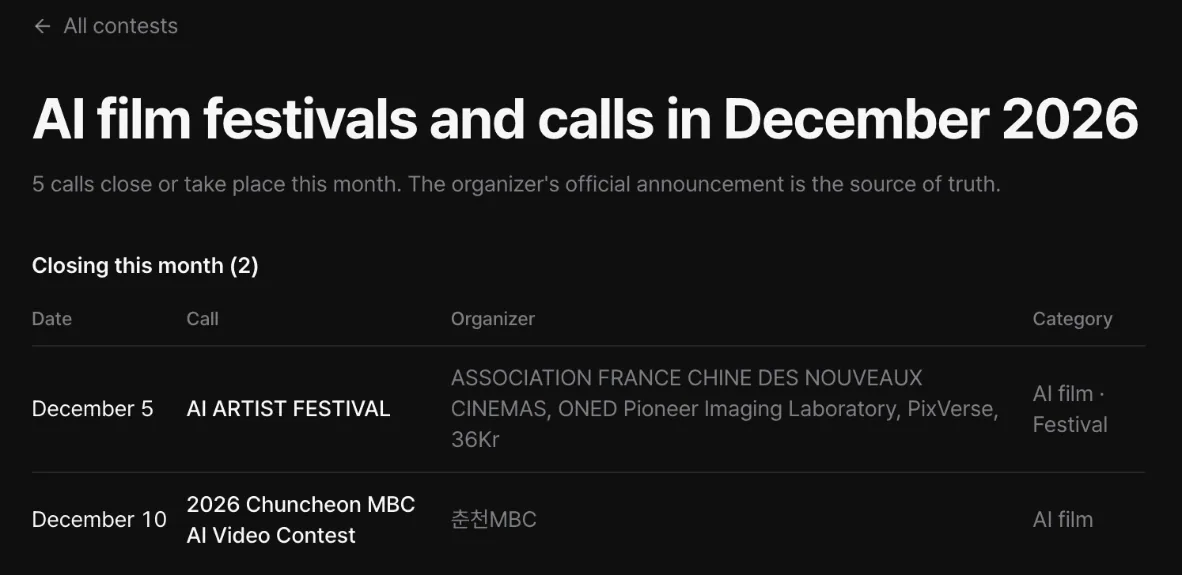
Each row shows the date, the call, the organizer, the category, and the runtime limit. Links at the bottom take you to the previous and next month, which helps when you plan production a few weeks ahead.
Check the rules on the contest page
Click a card to open the contest page. The organizer, the opening date, and the deadline come first. Right below, the At a glance table lists what you need to know before you start making anything.
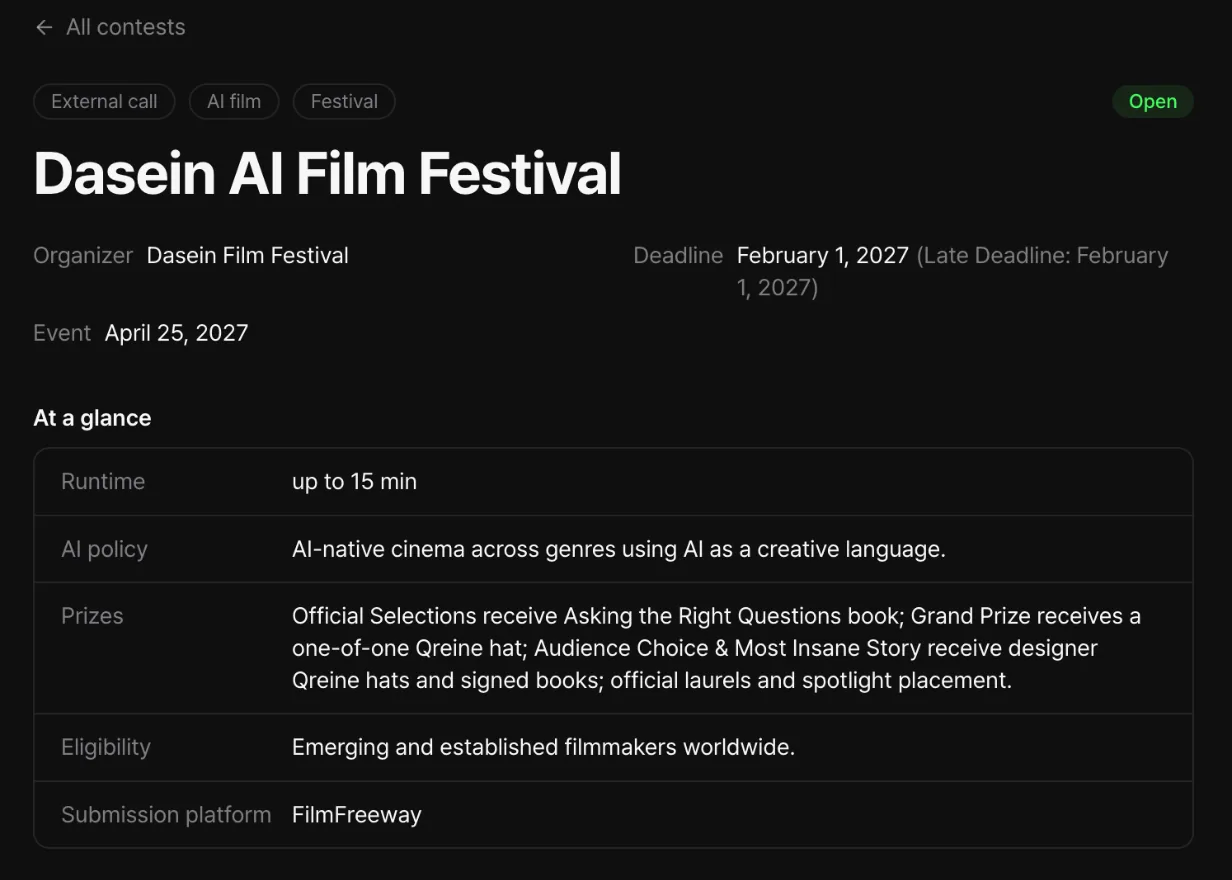
Runtime, how much AI is allowed, which tools you can use, prizes, eligibility, and where to submit are all in one table. Scroll down for a short summary of the call and a Frequently asked section that only includes questions the official rules actually answer.
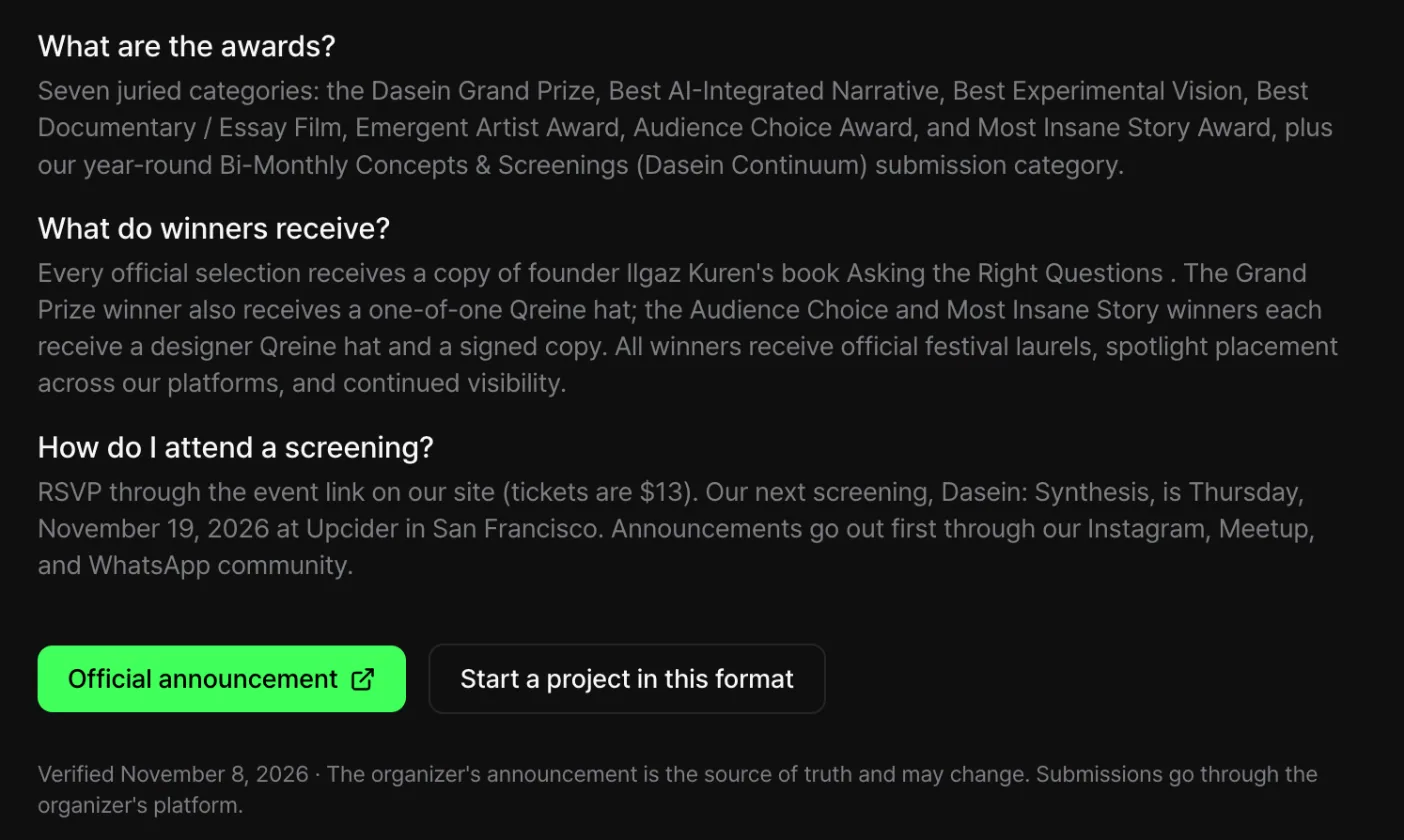
An operator checks each listing against the organizer’s own announcement before it goes up. Still, organizers can change their rules, and submissions go through their platform, not ours. Before you submit, click Official announcement and read the original once more.
Start a project that already fits
Click Start a project in this format and you land on the new project screen. The format that suits the contest is already selected, and the contest’s entry conditions sit right at the top.
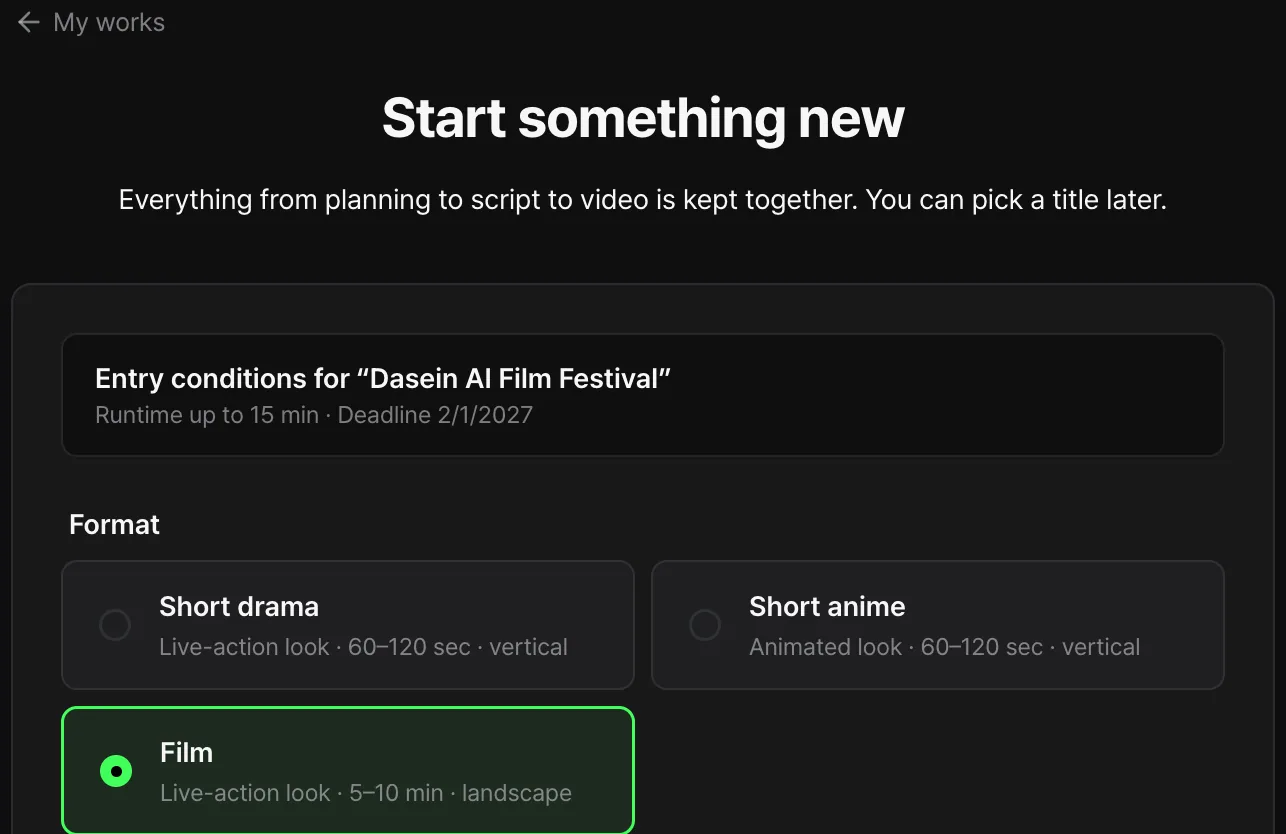
A vertical short-form contest preselects Short drama. A landscape short film festival preselects Film. The runtime limit and the deadline stay in front of you while you set things up, so there is nothing to copy down. You can still switch to another format on this screen.
From there, carry on as usual: plan the story, write the script, set up your characters, and make the video. When you are done, submit the finished film the way the organizer asks.
See which AI video contests are open this month on the Shortime Studio contests page.
 Back to Blog